Add a family with children

Join two partners, record their marriage and add their children.

Before you begin

Add both partners first. Add another person shows how.

Procedure

  1. Open one of the partners, scroll down and choose Add a new family.

    A person who is not in a family yet shows this button under Family.

    A form opens. The person you came from is already in Husband / partner 1.
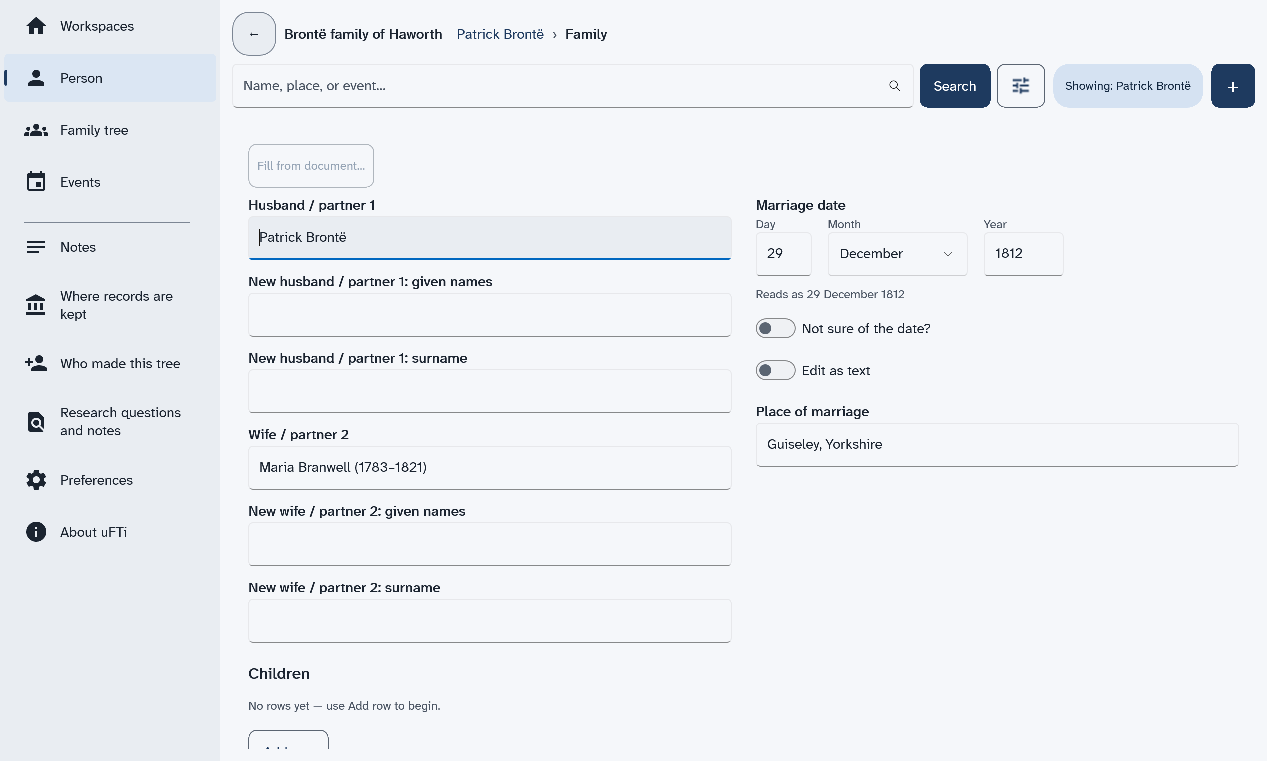
    The Family form with Patrick Brontë as husband, Maria Branwell as wife, and the marriage date and place filled in
  2. Select the box Wife / partner 2 and type the other partner's name.

    A short list of people appears under the box.

  3. Choose the person from the list.

    If you type a whole name that only one person has, you can leave the box and uFTi takes that person. If more than one person has the name, the box turns red. It says Choose a person from the list for 'Wife / partner 2', or clear the box. Then choose the right one from the list.

  4. Fill in Marriage date and Place of marriage.

    Leave them empty if you do not know them.

  5. Scroll down to Children and choose Add row.

    A row appears for one child. Choose Set… under Existing person to pick someone who is in the tree. Or type a new name in the row.

  6. For a new child, type the names, choose the sex, then choose Set… for the birth date and the birthplace.

    A small window opens for each. Fill it in and choose Done.
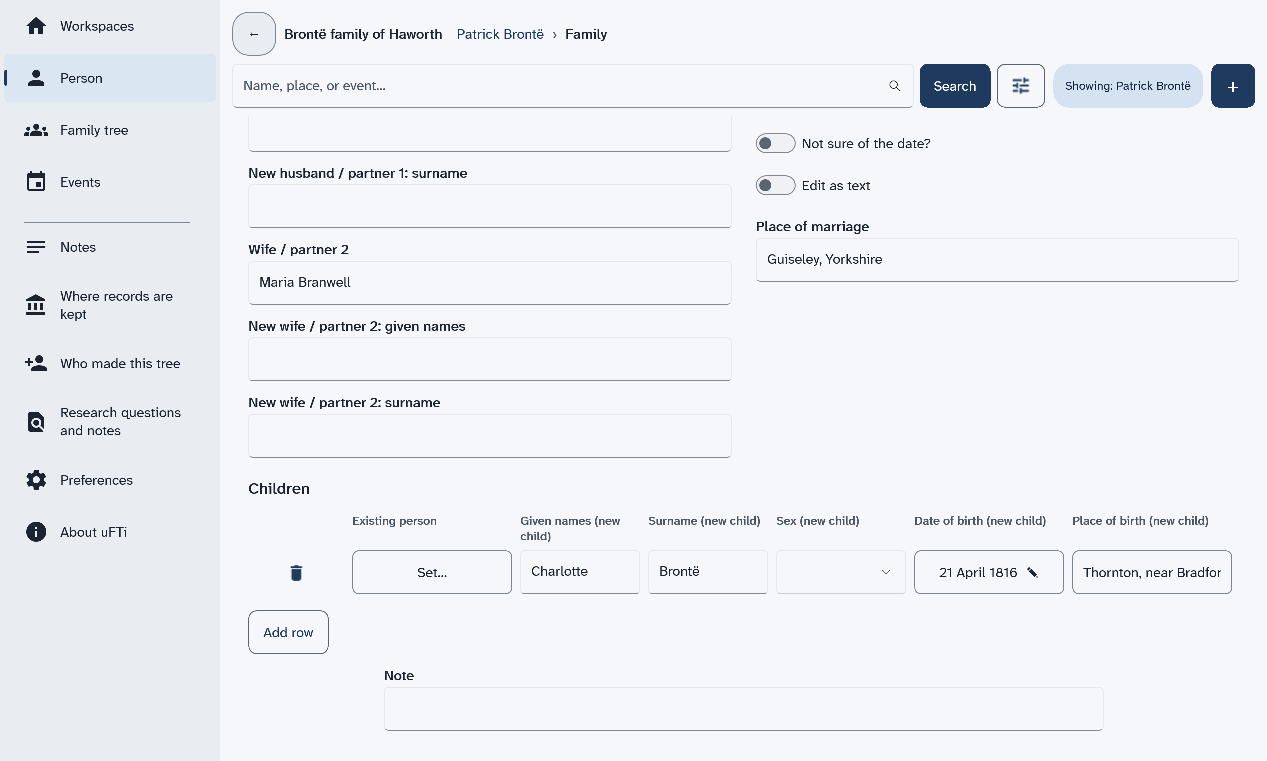
    The Children part of the Family form, with one row for a new child, Charlotte, and boxes for her sex, birth date and birthplace
  7. Scroll to the bottom and choose Save.

    The page of the family opens. It lists the partners, the marriage and the children.
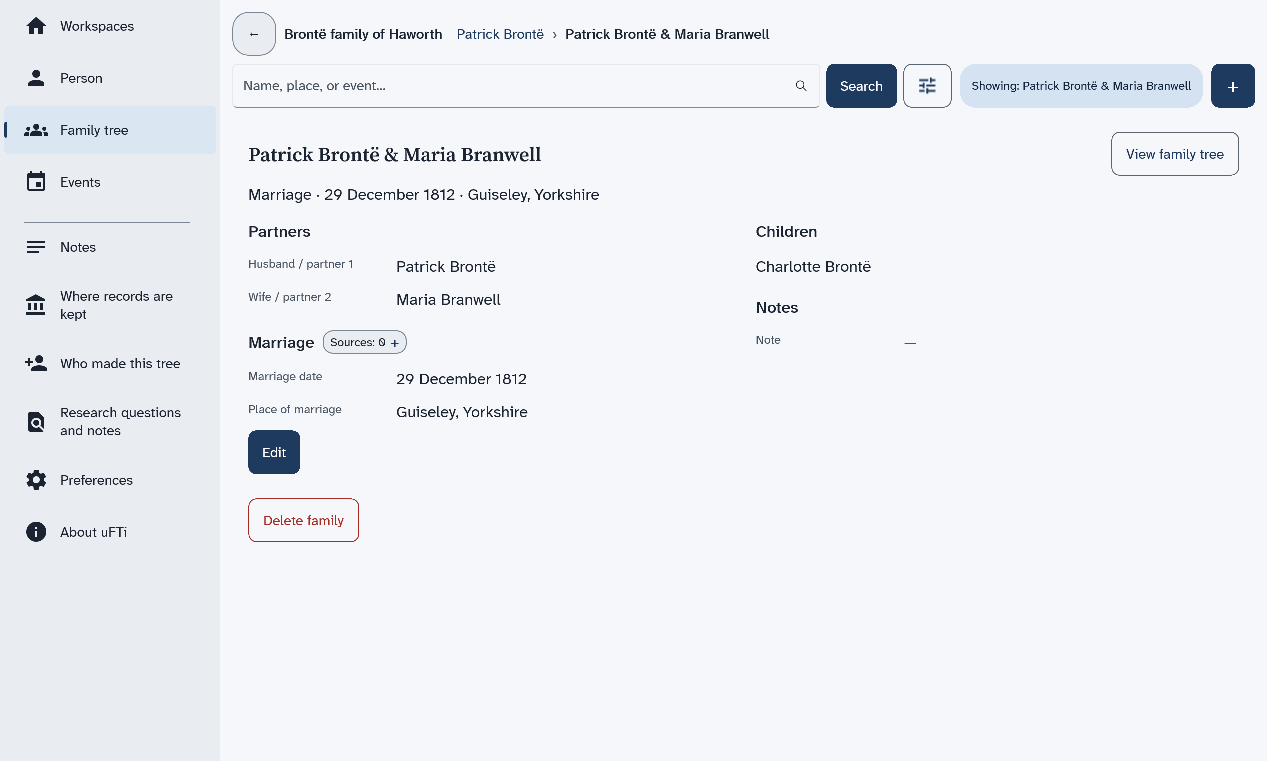
    The page for Patrick Brontë and Maria Branwell, with their marriage, their daughter Charlotte and the Edit and Delete family buttons

Results

Choose View family tree to see the family drawn out.
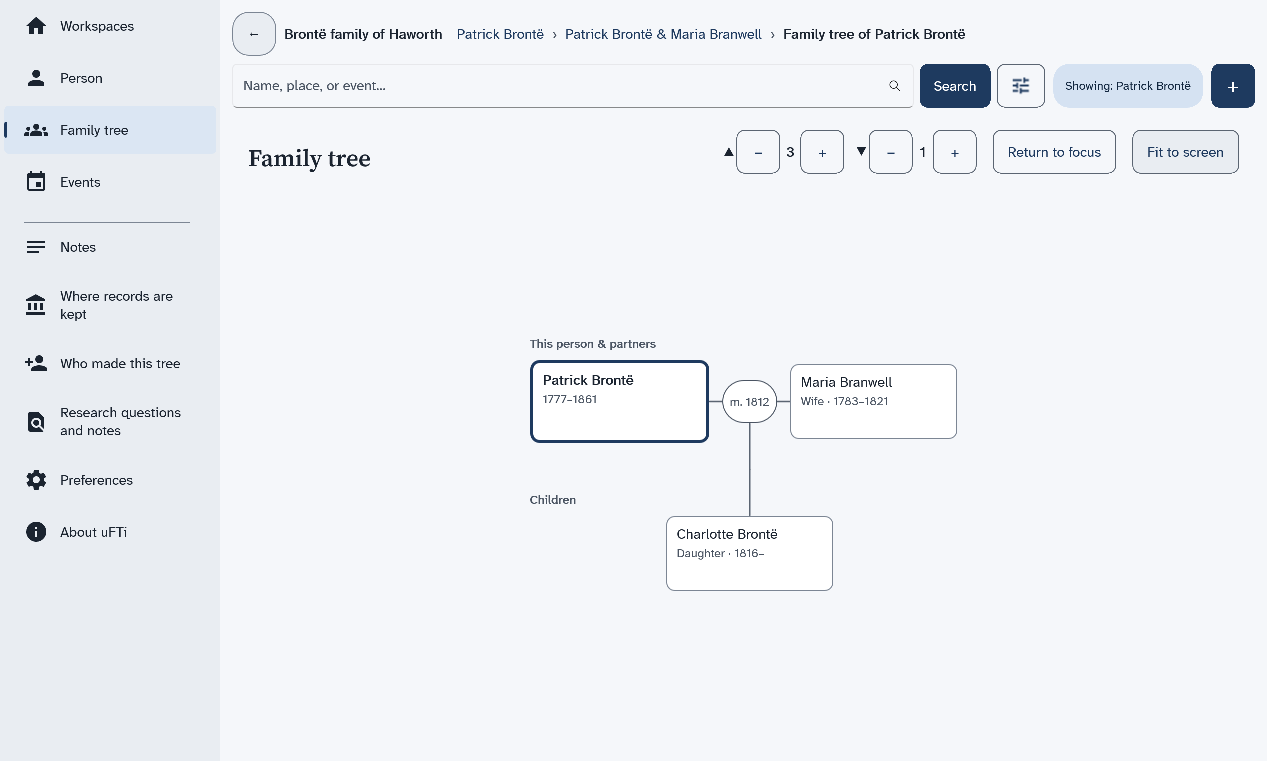
The family tree for Patrick Brontë, with his wife Maria Branwell beside him and their daughter Charlotte below

What to do next

The page of the family also has Edit and Delete family. Next: Add a note to a person.