Add another person

Add a person to a tree that already has someone in it.

About this task

The first person comes with a new tree. After that, you add people with +.

Procedure

  1. Choose +.

    A list named Add a record opens. It starts with things you can add to the person you are looking at.
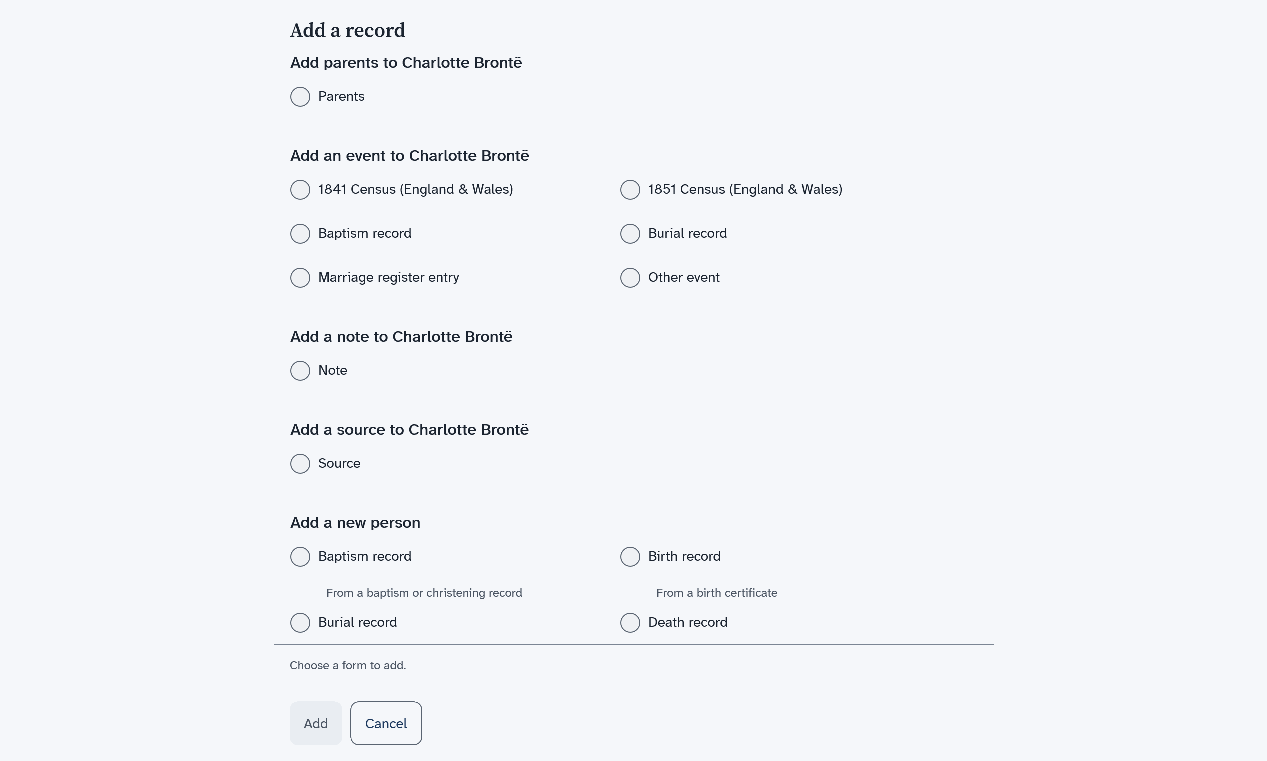
    The Add a record list, with choices to add parents, an event, a note, a source or a new person for Charlotte Brontë
  2. Scroll down to the part named Add a new person.

    The list scrolls on its own. Turn the mouse wheel with the pointer on the list.

  3. Choose Basic details, then choose Add.

    The New person form opens.
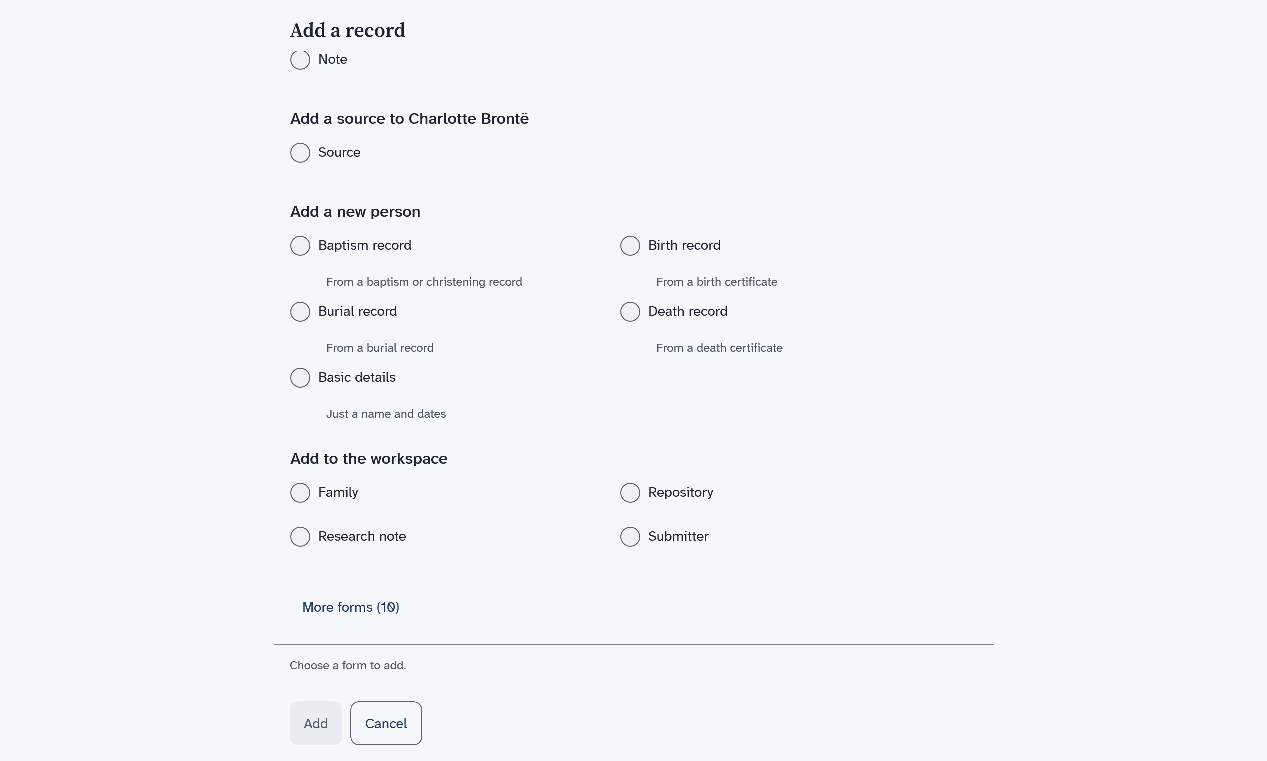
    The lower part of the Add a record list, with Basic details, Family, Repository, Research note, Submitter and a More forms button
  4. Type the names, choose the sex and add the dates and places you know.

    Only Given name(s) is needed. For a date, type the day and the year and choose the month.

  5. Scroll to the bottom of the form and choose Save.

    You go back to the page you came from. The new person is in your tree.

Results

To open the new person, Find a person.

The list ends with More forms. Choose it to see the forms that do not fit this person. Each one has a line under it that says why. For example, This form covers 1881, and going by the dates in the tree, nobody here was alive then.
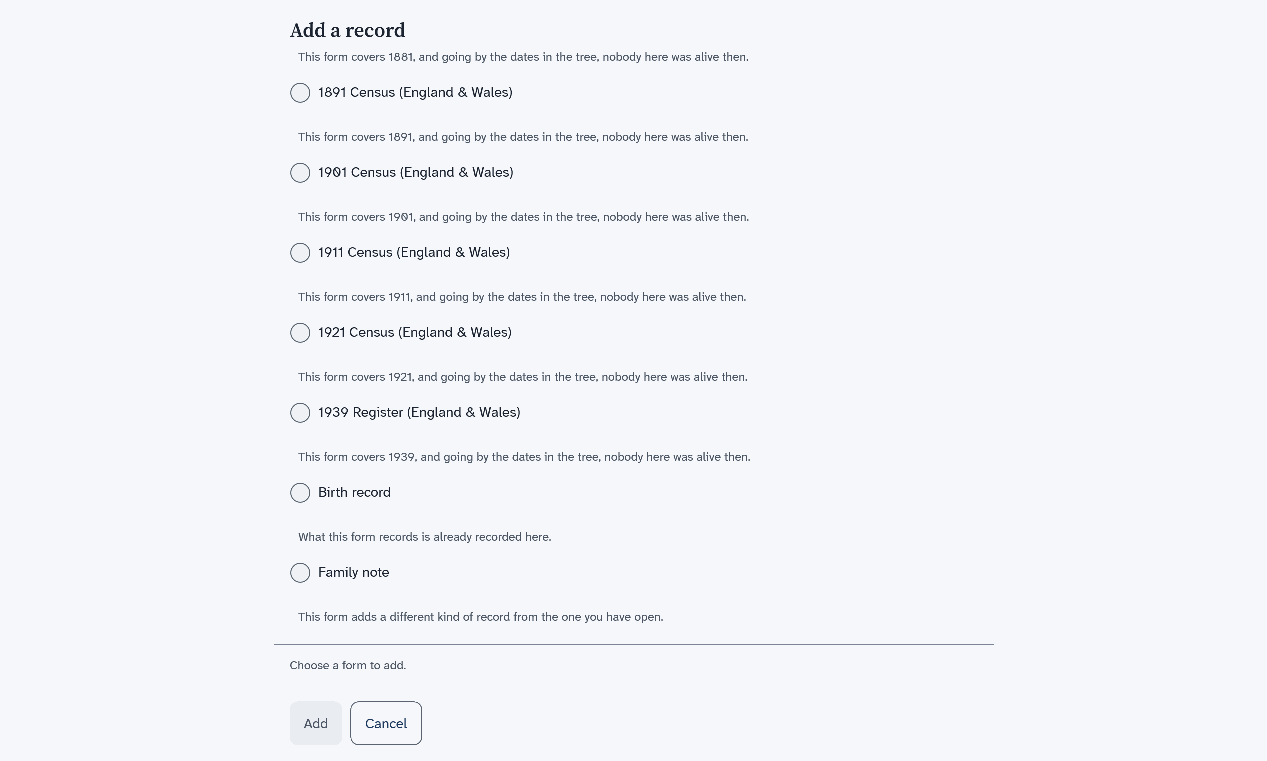
The end of the opened Add a record list for Charlotte Brontë, where each census form for a year after she died has a line under it that says nobody in the tree was alive then, and two more forms say why they are not offered

What to do next

Next: Add a family with children.