Find a person
Search your tree by a name, a place or an event, then open the person you want.
About this task
The search box is at the top of every screen. It searches the tree that is open.
Procedure
-
Choose Search.
The results come in two lists side by side. The people come first. The events come next to them. A small badge on each person, such as
Sources: 10
, says how many sources back that person up.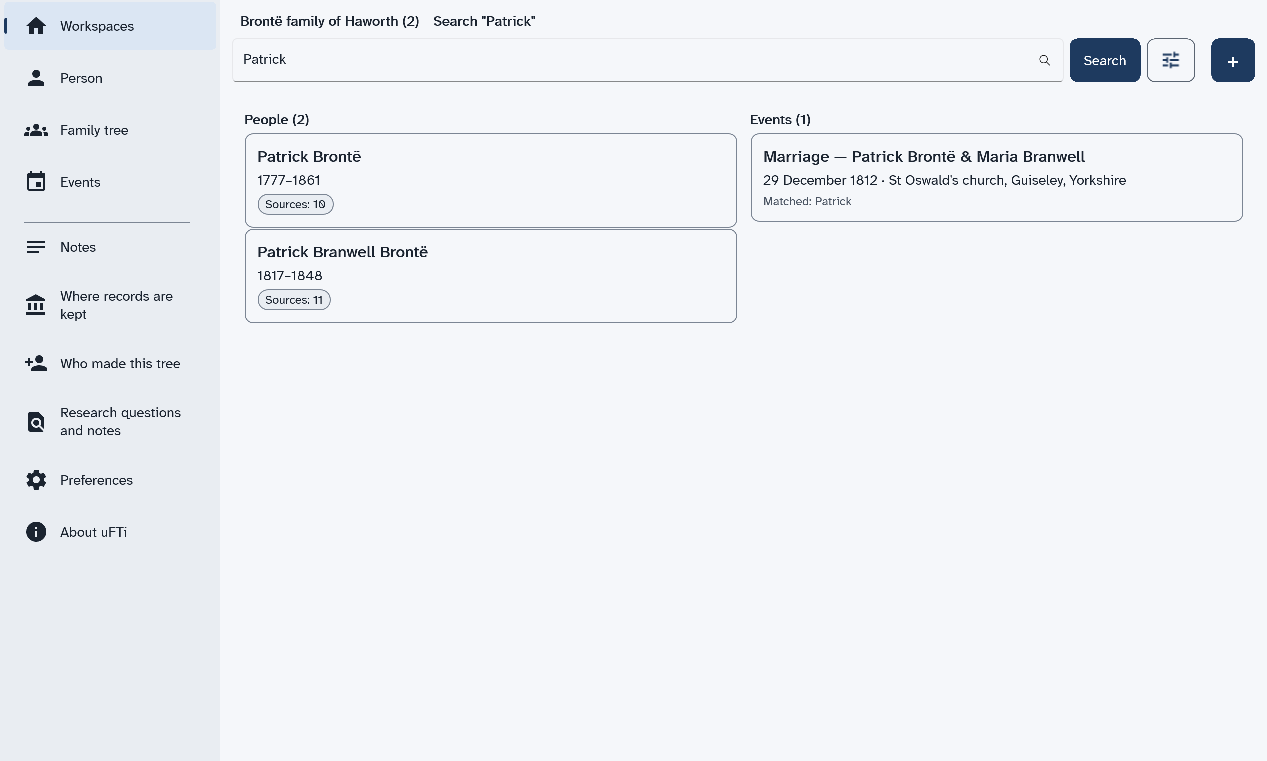
Results
Now Family tree, Events and Notes in the menu all show that person.
What to do next
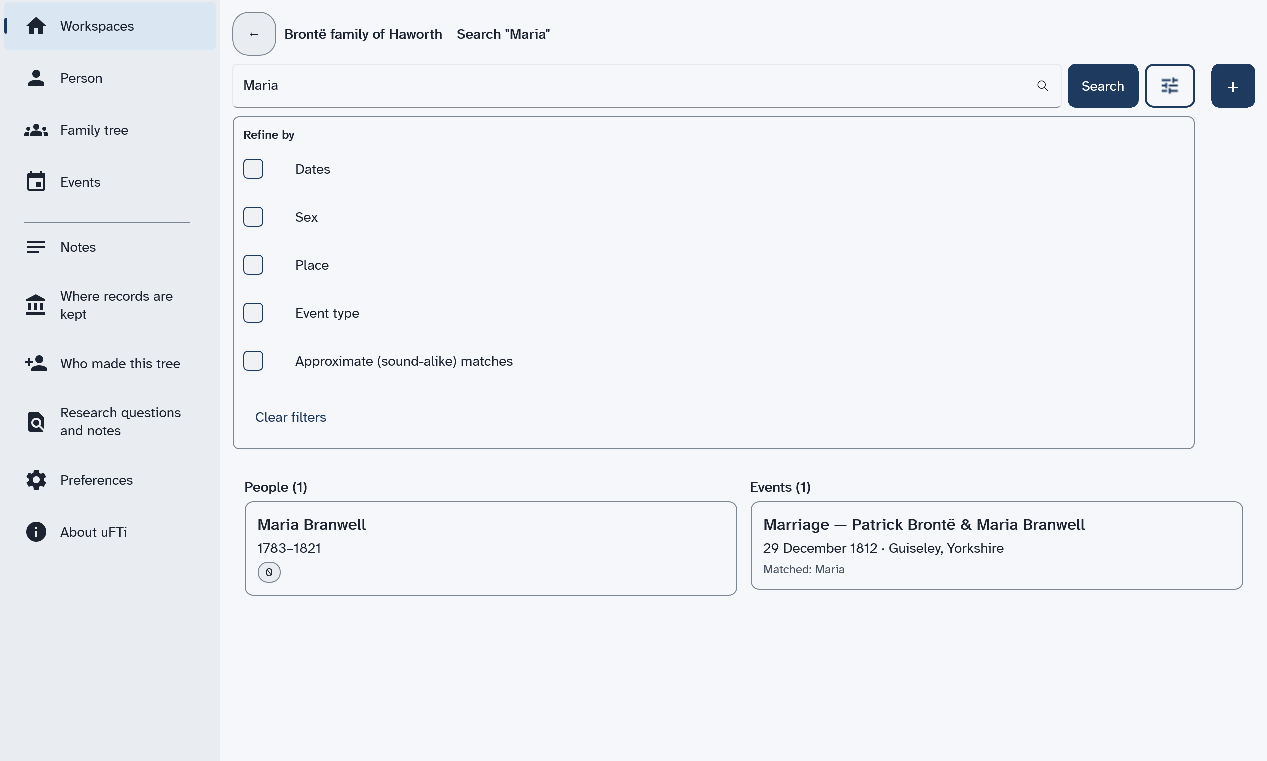
To narrow the results, choose the button with the sliders next to Search. A list named Refine by opens. Tick Dates, Sex, Place or Event type to add a filter. Tick Approximate (sound-alike) matches to also find names that sound alike. Choose Clear filters to start again.
Next: See a family tree.